

From C1 To C7: Here's What These Instant Pot Codes Mean (And What To Do)
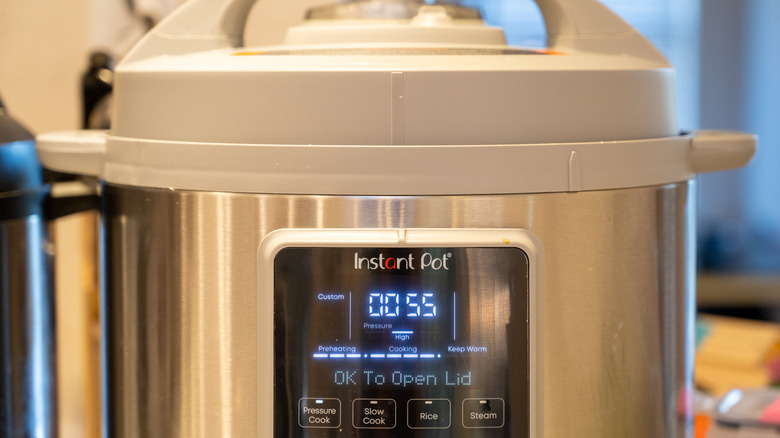
Instant Pots are fairly complex pieces of equipment, and they have the potential to both cause injury and damage your kitchen – especially if they are not operated or maintained properly. Though they are designed with multiple safety features to protect you, it's important to take the time to read the manual thoroughly so that you can make sure you're using your appliance correctly. You can prevent mistakes and malfunctions before they happen by following instructions for properly using and maintaining your Instant Pot.
It also helps to have a general understanding of the error codes you might encounter before you begin cooking with your Instant Pot, especially because some of them differ slightly between the unique makes and models the company sells. If you do notice a warning or error code on the screen of your Instant Pot, don't panic. Grab your manual (or find it online on the company's website) to decipher the meaning of the code and how to troubleshoot the issue. Follow the instructions carefully, because ignoring a warning code on a pressure cooker could put you and others in your household at risk of injury. You may also end up damaging your appliance beyond repair.
You can also use this helpful guide to Instant Pot error codes. We explain 14 common Instant Pot error codes from C1 to C7 and beyond, telling you what they mean and the best way to resolve the issue according to the manufacturer's recommendations (typically, DIY repair is not a good idea as you could violate your warranty and destroy the appliance). Reading through this handy guide can help you make any Instant Pot or pressure cooker recipe safely and successfully.
C1, C2, C3, C4, and C6
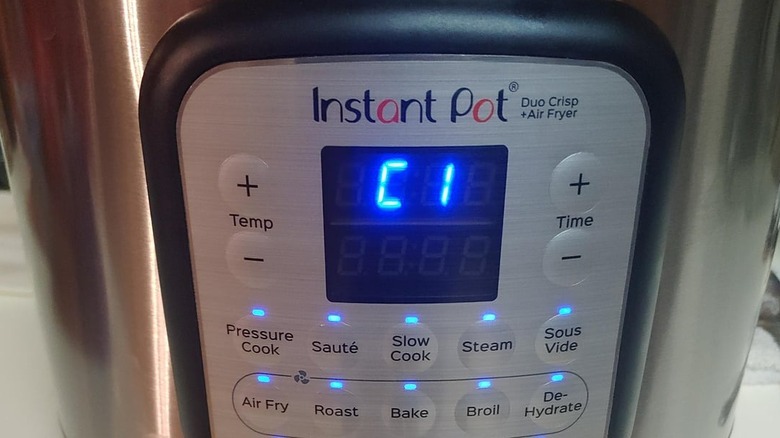
These error codes indicate a problem with the sensor or pressure switch in your Instant Pot. Do not ignore the error code as it indicates a serious underlying electrical issue that affects your ability to safely use your appliance (Instant Pots can really explode, after all). If you see this on your Instant Pot, contact Customer Care. This isn't a problem that you can troubleshoot yourself, and there is no easy DIY fix.
C5

Instant Pot error code C5 indicates the appliance's temperature is too high. This could be because the inner pot is not properly inserted into the base of the cooker or there is no water (or not enough water) in the inner pot. Make sure the inner pot is properly seated on the cooker base, and check the pot's water volume to make sure that it is filled to the level recommended in your appliance manual.
C6H or C6L
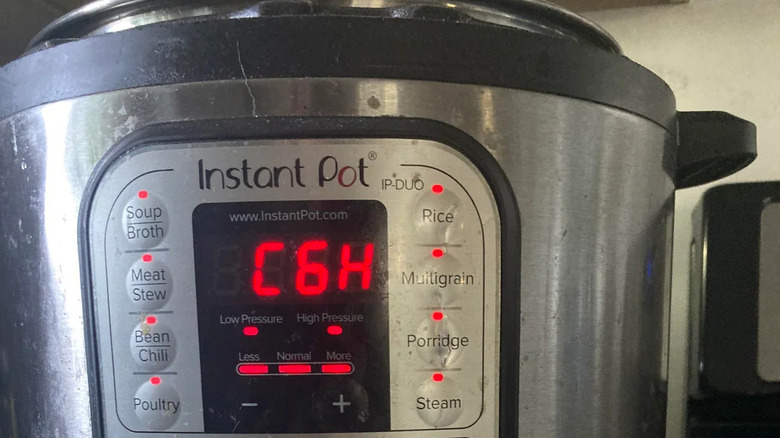
You might see these error codes on an Instant Pot Duo Plus Multi-Cooker or Viva as well as some other models. C6H indicates a faulty high-pressure sensor, while C6L warns of a problem with the appliance's low-pressure sensor. If you see one of these errors, turn your appliance off and contact customer support for a resolution. Do not try to repair or replace a faulty Instant Pot sensor yourself.
C7
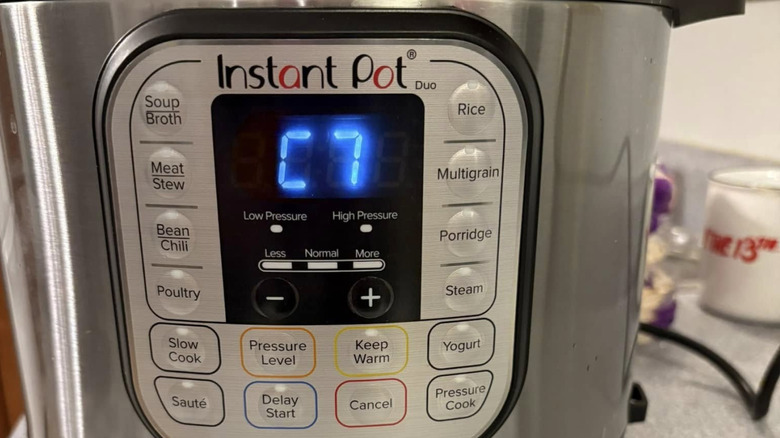
A C7 error code means there has been a loss of pressure because the appliance's heating element has failed, there is not enough liquid in the inner pot, or the quick release button is in the vent position. If the water level is too low, add more. If that isn't the issue, make sure the steam release switch is set to seal rather than vent. If that doesn't solve the problem, contact customer support.
C8
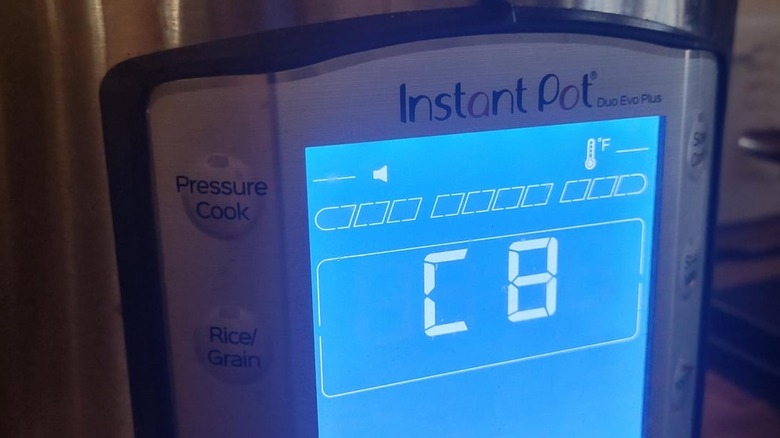
The C8 code is specific to the Instant Pot Pro Plus and Duo Evo Plus models. It means that the incorrect cooking pot is being used in the appliance. These two models require specific pots. To resolve this error on the Duo Evo Plus, insert a correctly-sized pot with easy-grip handles into the base. For the Pro Plus, only use stainless steel Pro Series cooking pots with easy-grip handles.
C9
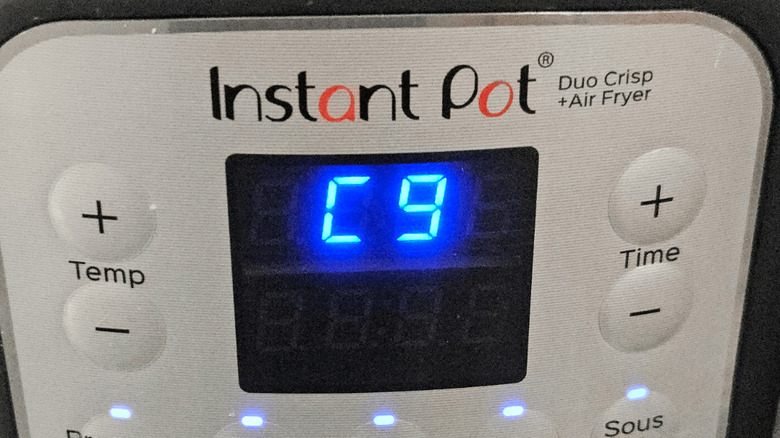
On the Instant Pot Smart-60, this code warns that the Bluetooth module is malfunctioning or faulty and cannot connect to your mobile device. You can continue to use the Instant Pot safely even when it isn't connected to Bluetooth, and you can clear the error message by pressing any function key. On air fryer models, it warns that the sensor connectors on the air fryer lid and base are not making full contact and should be readjusted.
C10
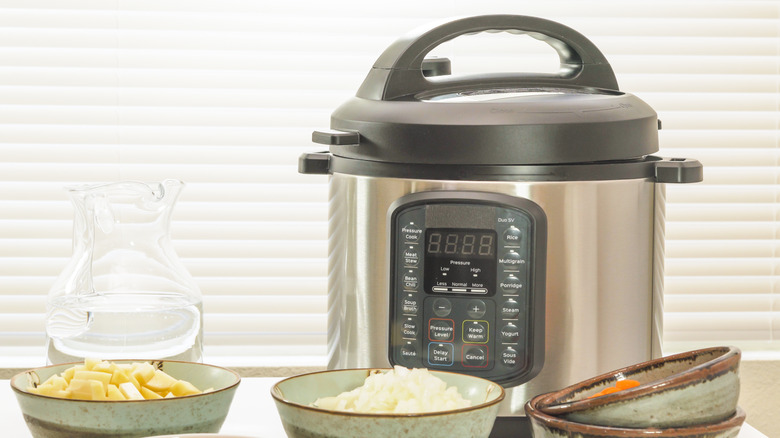
This is another model-specific error code that you will only see on the Instant Pot Pro Max WiFi Multi-Cooker or Pro Plus Multi-Cooker. It indicates a Wi-Fi module failure, which means the appliance's wireless component can't communicate with your home network. You won't be able to pair, control, or monitor the pot via your smartphone app, but it will still function as a normal pressure cooker. You should just contact customer care for a fix.
E1 through E19
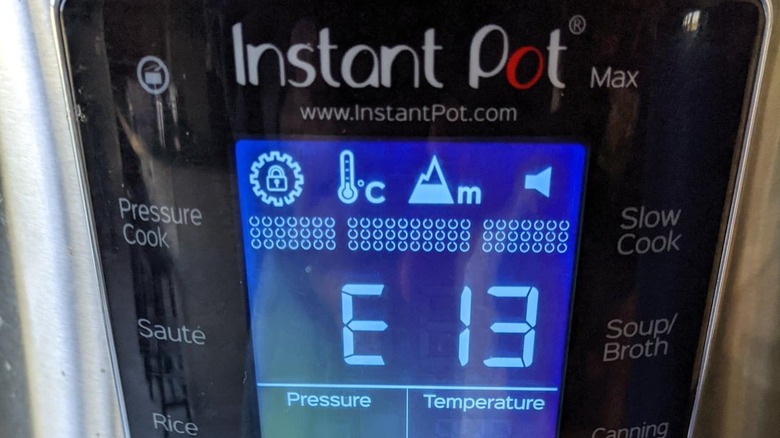
Aura, Gem, Max Series, and Instant Pot rice cooker models use E codes. If you see E1 through E19, you should contact customer care. On the rice and grain cookers, E1-4 indicates an issue with the cooker, and you may see the codes and hear continuous beeping. On the Zest rice cooker, E1 and E3 indicate a faulty sensor. E01 or E02 on a Gem or Aura means the sensor is disconnected or short-circuited.
Alt
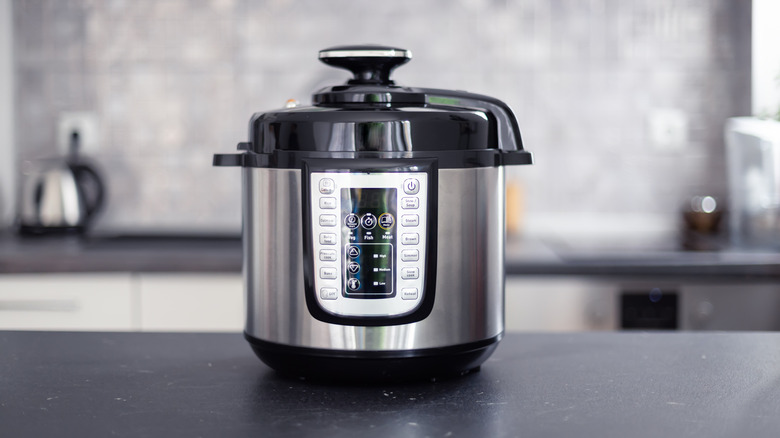
The Instant Pot Pro Plus Multi-Cooker and Instant Pot Max may be the only models that use this code. It warns that the target temperature for safe canning was not reached. Press cancel and make sure all seals are clean, undamaged, and properly positioned and that there is at least 1 cup of water in the pot. You should not use this model for canning at altitudes over 6,600 feet.
Burn/food burn/ovht
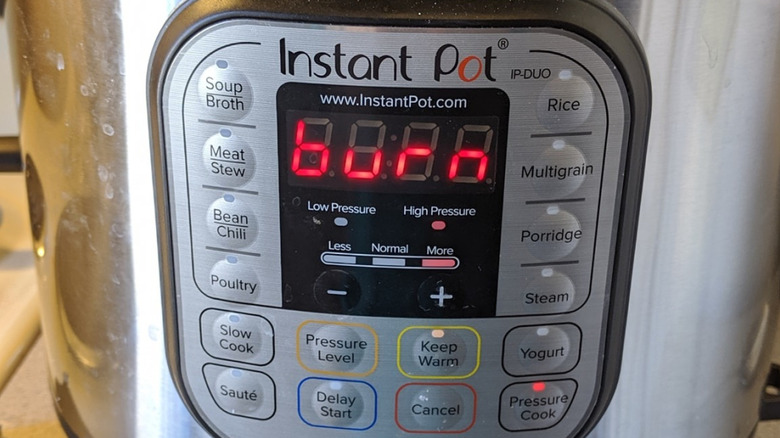
These are the most common error messages across all Instant Pot models. They warn that a high temperature was detected and food is overheating or in danger of burning. This may be due to a buildup of food residue on the bottom of the pot or low liquid levels – some foods need more liquid than others to prevent burning or undercooking food. Turn the pot off, clear away residue, and fill it to the recommended level.
Lid/lid err/lid open/open lid/close lid
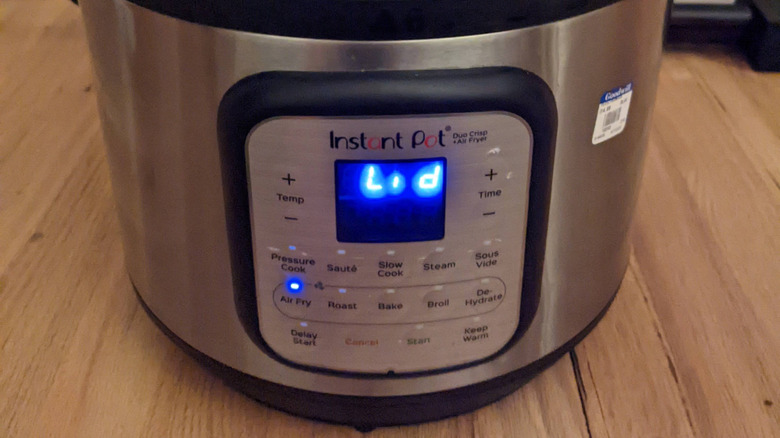
All of these lid error codes warn you that the Instant Pot's lid is not in the correct position or is open. When this happens, it can prevent the appliance from generating enough pressure to cook food properly, or allow too much steam to escape. To solve it, make sure the lid is on correctly and is set to lock, or open and close lid to attach it properly. Do not use a lid during sauté function.
NoPr
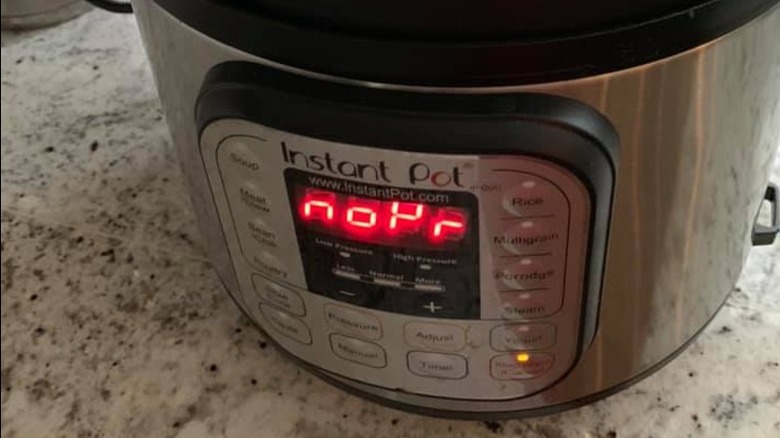
This code is similar to C7, referenced above. It means that there is no pressure or insufficient pressure in the pot due to a failing heat element, lack of liquid in the pot, or because the quick release button is in the vent position. You should check the steam release switch to make sure it isn't set to seal or add liquid if levels are low. If this doesn't resolve the error code, contact customer care.
Pot
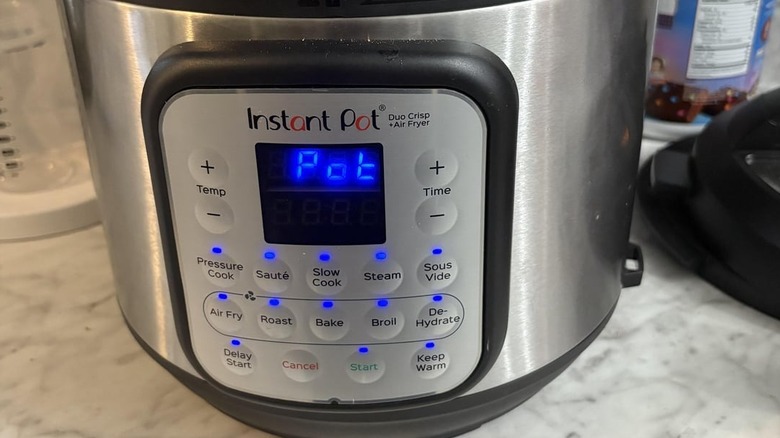
This is an error code specific to the Instant Pot Pro Crisp Multi-Cooker and Air Fryer, the Duo Crisp, and other models with air fryers. It is just warning you that the device won't start without a pot or basket attached to the base. Insert the correct cooking pot or basket into the base and start the program again.
PrSE
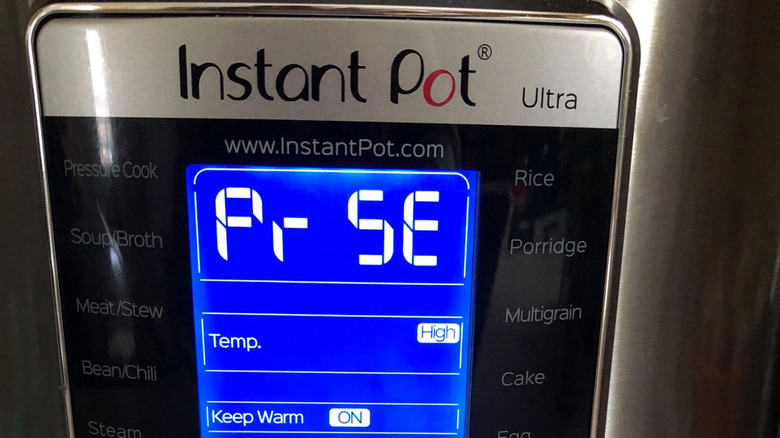
PrSE is another pressure-related Instant Pot code you shouldn't ignore. It will flash on the screen if too much pressure has accumulated during a cooking program that is not meant to generate pressure, such as sauté. To resolve the error, set the pot's steam release switch to quick release to vent the excess pressure safely. Remember that there are some cooking methods you may want to avoid in an Instant Pot, like sautéing.