

Can You Make An Amazon Return At Whole Foods?
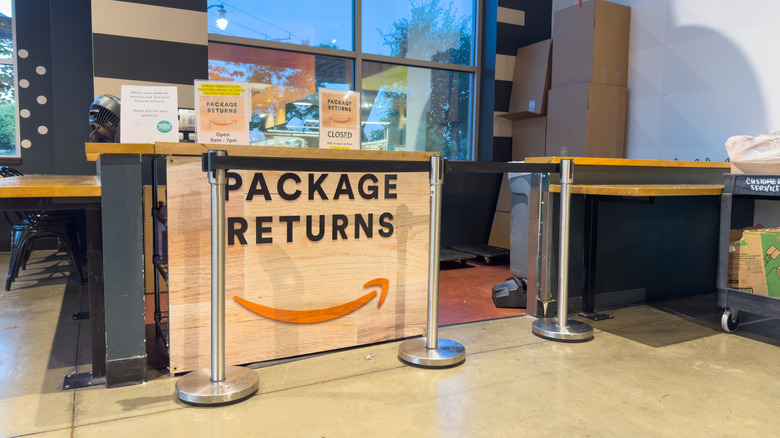
For the many thousands of Amazon shoppers who return items that don't meet their expectations, arrive damaged, or no longer fit their needs, there's some good news. If you live in one of the many states that has a Whole Foods Market store, you can easily drop off the return item right inside. That saves you the headache of hunting for a printer (or using up all your precious ink), raking through drawers for packaging tape, or finding a box, given that many folks break down and recycle boxes before realizing the goods inside are destined for return passage.
Amazon offers several drop-off points for returns, including retailers such as Staples, The UPS Store, Kohl's, and others, depending on where you live. But returning items at Whole Foods is a pretty seamless experience, especially given the solid relationship formed when Amazon purchased Whole Foods Market in 2017, for a jaw-dropping $13.7 billion.
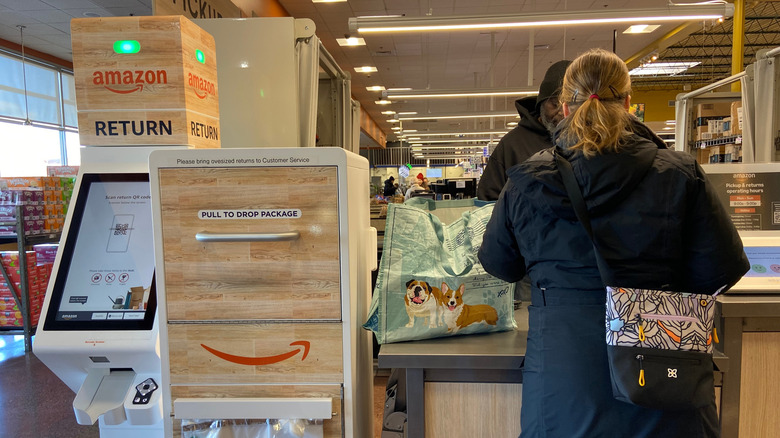
Once you enter a Whole Foods store, you'll be heading to either a dedicated Amazon counter, the Whole Foods customer service counter, or a self-service Amazon kiosk. Again, this depends on location. The most important thing to know ahead of time is that you can't just show up with the item — you'll need to initiate the product return on the Amazon website. It's known as the Amazon's Online Return Center, but that sounds much more complicated than it actually is. Here's a look at how the process unfolds.
The ins and outs of Amazon returns at Whole Foods
To get the returns process started, simply log in to your Amazon account and click "Returns and Orders" in the upper-right menu bar. You'll see all previous orders and the return eligibility of each item. There's usually a 30-day return window, but it can vary by item or manufacturer. Next, click on "Return or Replace Items."
After starting the return, you'll be guided through a few prompts, including why you're returning it and how you'd like the refund handled. If your item qualifies and you're in a supported area, you'll see the Whole Foods Drop-off option. Availability can vary by item type, size, and location, so if you don't see it, that usually means you can't return it at Whole Foods. If you do see it, you're in business.
After choosing Whole Foods, you'll receive a QR code that is accessible both in the app and via email. When entering Whole Foods, that code will be scanned to finalize the return. Many returns require no box or label, meaning you just bring the item and your QR code, and the staff at Whole Foods handles the rest —boxing, labeling, and shipping. You still need to return the item in its original manufacturer packaging whenever possible, and include accessories, manuals, and tags. If you're new to Whole Foods shopping, here are some Whole foods money saving tips, plus a few intriguing things to know about Whole Foods.