

How To Download Your Favorite Recipe Videos For Free

Sponsored Content. We may receive a commission on purchases made from links.
Have you ever set up everything you need to follow a new recipe — a video that you stumbled across while falling down the sourdough starter rabbit hole — only to realize that you can't get the video to play when you need it most? Maybe you're in a building with bad reception or you've gone off-grid and forgotten that you won't have a signal. Either way, you desperately need this video to put all the ingredients in front of you to good use. The team here at Tasting Table understands that struggle all too well. We've all been there, and that's why we want to share our favorite "secret ingredient" – a handy resource called 4K Video Downloader Plus. With this easy app, you'll never have to worry about frozen YouTube videos and half-loaded instructions again.
4K Video Downloader Plus allows you to easily download video or audio content from many platforms including YouTube, Vimeo, TikTok, SoundCloud, Bilibili, Flickr, Facebook, DailyMotion, Likee, and Tumblr. You could even download recorded streams from Twitch if your favorite TikTok food blogger happens to livestream in their spare time. 4K Video Downloader Plus is compatible with Mac, Windows, and Linux, and it's also available as an app on Android devices with functions just like the desktop version.
There are other entities that offer downloadable videos. For example, YouTube Premium provides a paid service. What sets 4K Video Downloader Plus apart is that it offers 10 free video downloads per day, and it allows you to store videos on your hard drive or download private clips and playlists from multiple sites like YouTube, Facebook, and Vimeo.
A deeper dive into 4K Video Downloader Plus
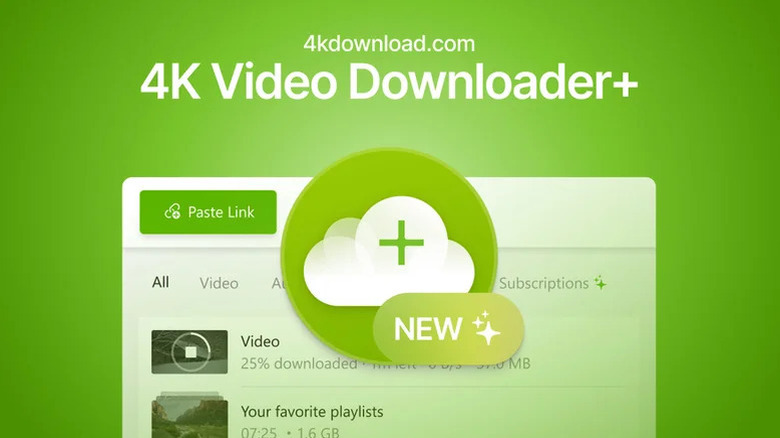
4K Video Downloader Plus has a built-in browser that lets you stay in the app while perusing YouTube, Vimeo, TikTok, or various other sites to find and download your favorite recipe. Just because "4K" is in the name doesn't mean that you're limited to this video quality. The application allows users to download videos in HD 720p, HD 1080p, 4K, and 8K resolutions. 4K Video Downloader Plus has been on the market for over a decade and serviced over 62 million satisfied customers, but its newest iteration promises improved download options and settings. With a sleek design and an easy-to-navigate in-app browser, you can save entire playlists, channels, or search results from sites like YouTube with just one click.
Found some copyright-free music that would pair perfectly with your aesthetic homemade cinnamon roll Instagram reel? 4K Video Downloader Plus can help you save it. Loving Bobby Flay's latest interview with Food Network but listening to it dubbed in another language? 4K Video Downloader Plus allows you to download accompanying audio tracks in multiple languages. You can even utilize the new YouTube auto-download feature, which allows users to subscribe to downloading their favorite YouTuber's entire channel or playlist with one click or set up a feature to automatically download new videos as soon as they come out.
A step-by-step guide to using 4K Video Downloader Plus

To give 4K Video Downloader Plus a try, you can sign up for the free version, which has no expiration, requires no credit card information, and gives you access to basic features including 10 free video downloads per day. There are higher-tiered licensing levels — including Lite, Personal, and Pro — which give the user access to higher-level features but cost a yearly subscription or lifetime fee. Let's take a look at how easy it is to use the free version of 4K Video Downloader Plus to download one of Ina Garten's best weeknight recipe videos.
1. Head to https://4kdownload.com/vd/ to download the app.
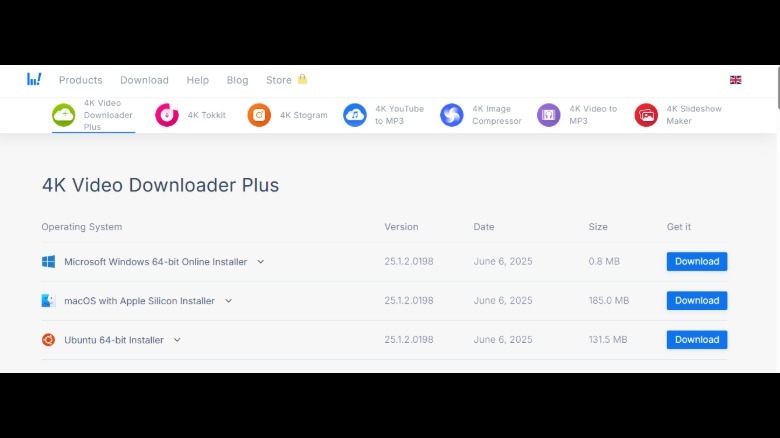
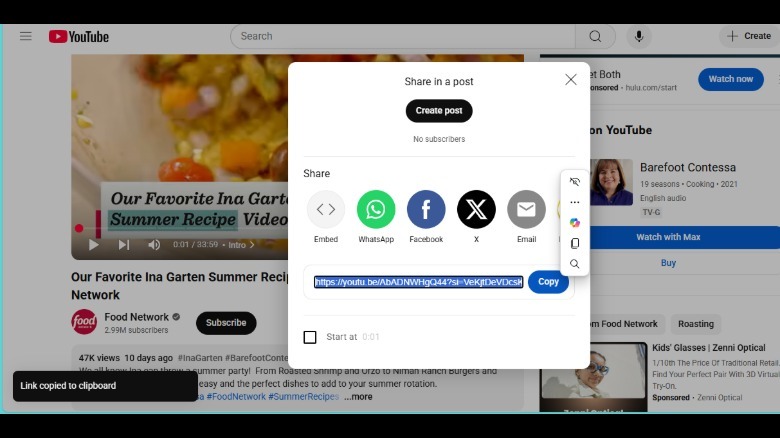
2. Visit your site of choice (we chose YouTube) and copy the link of the video you're interested in.
3. Launch 4K Video Downloader Plus.
4. Paste the YouTube link at the top of the window.
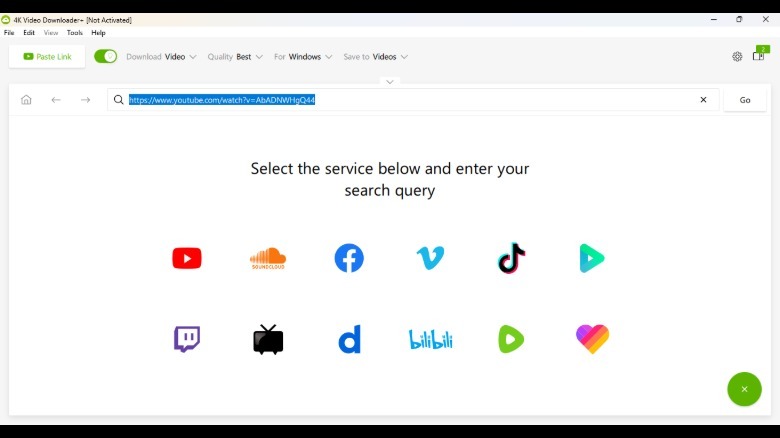
5. Select the format, quality, and where you want the download to go.
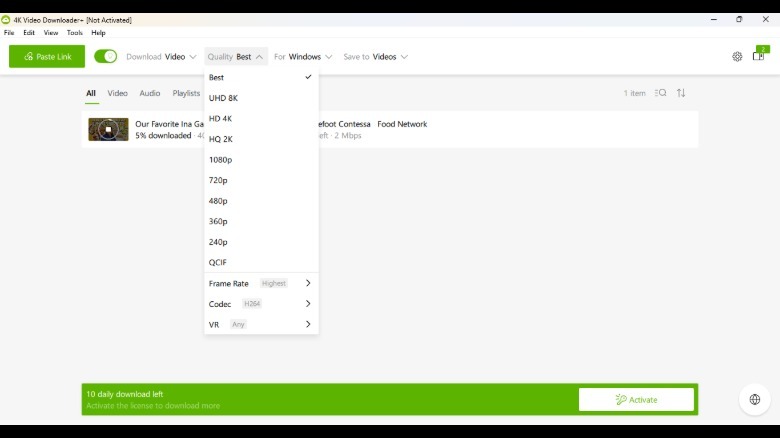
6. Click "download."
Pause parsing anytime with easy downloads management. You can also set up the Smart Mode feature to remember your preferences for quality and resolution and automatically apply them to all future downloads. 4K Video Downloader Plus will keep all of your downloads organized in-app, sorted and filtered in categories until you need them. It's as easy as that! No more frustrating lagging as you wait for TikToks with kitchen organization hacks to load, and no more complaining that your Vimeo subscription is only useful when connected to WiFi. 4K Video Downloader Plus lets you enjoy video and audio from any location.
Please note: 4K Video Downloader Plus does not not promote, support, or take any responsibility for illegal downloading or distribution of copyrighted content. Users are solely responsible for ensuring their actions comply with all applicable laws and regulations. For more information, visit YouTube to review copyright rules and policies.